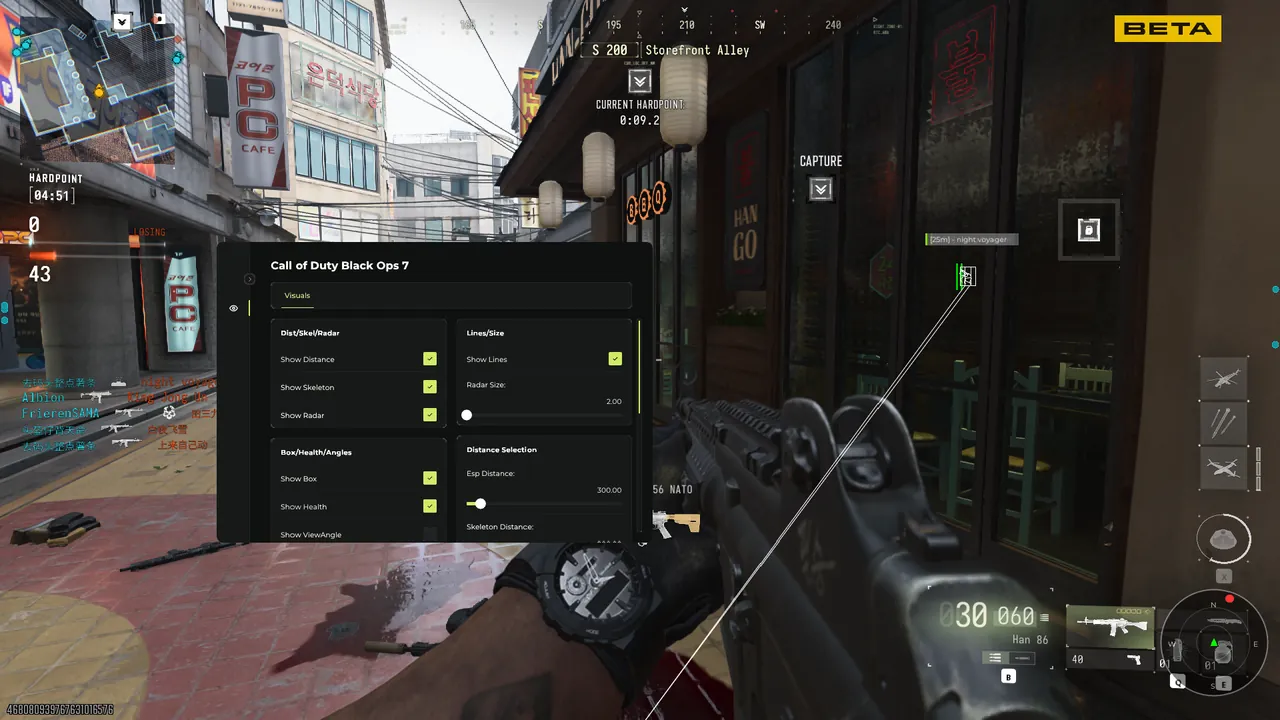
MW4 ESP, filter by filter
The visual layer is the module most buyers spend their first hour tuning, because it is the one that changes how every single match feels. Out of the box it is already readable; after ten minutes of filtering it becomes personal. MW4's map design rewards pre-aiming lanes and pre-rotating off information; a tuned overlay simply gives you that information earlier than the audio queue does.
Box styles and skeletons
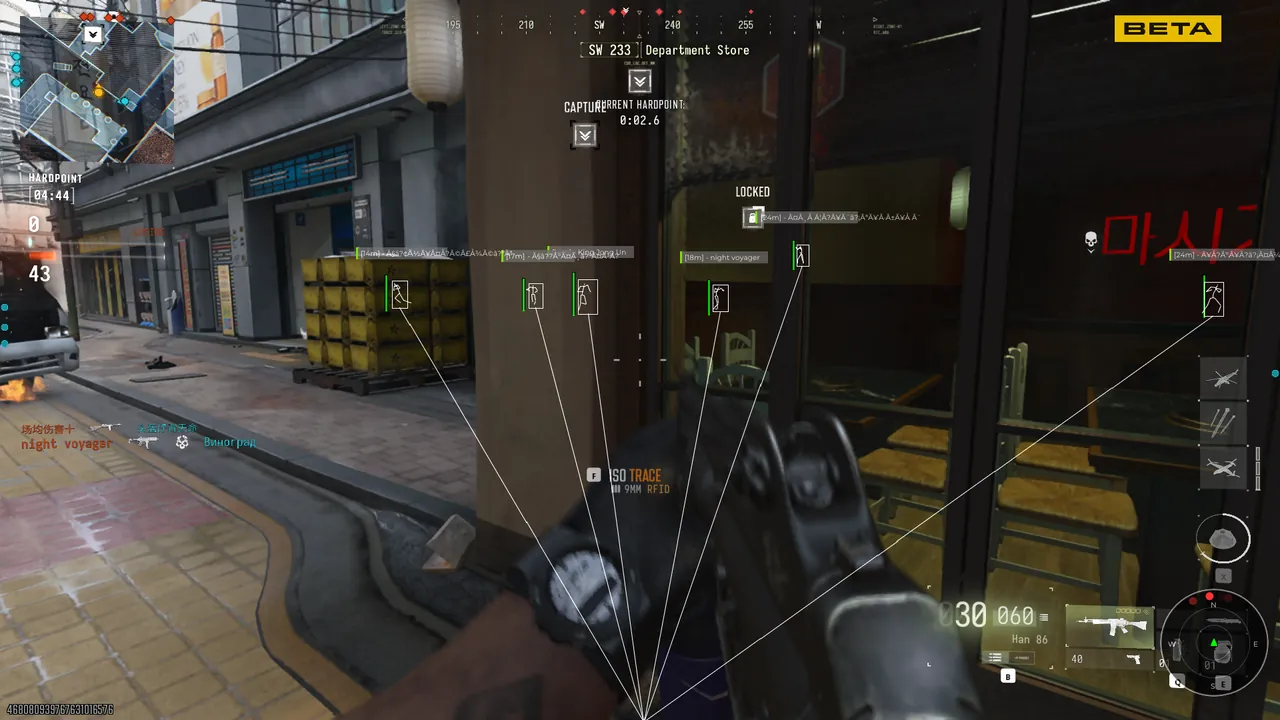
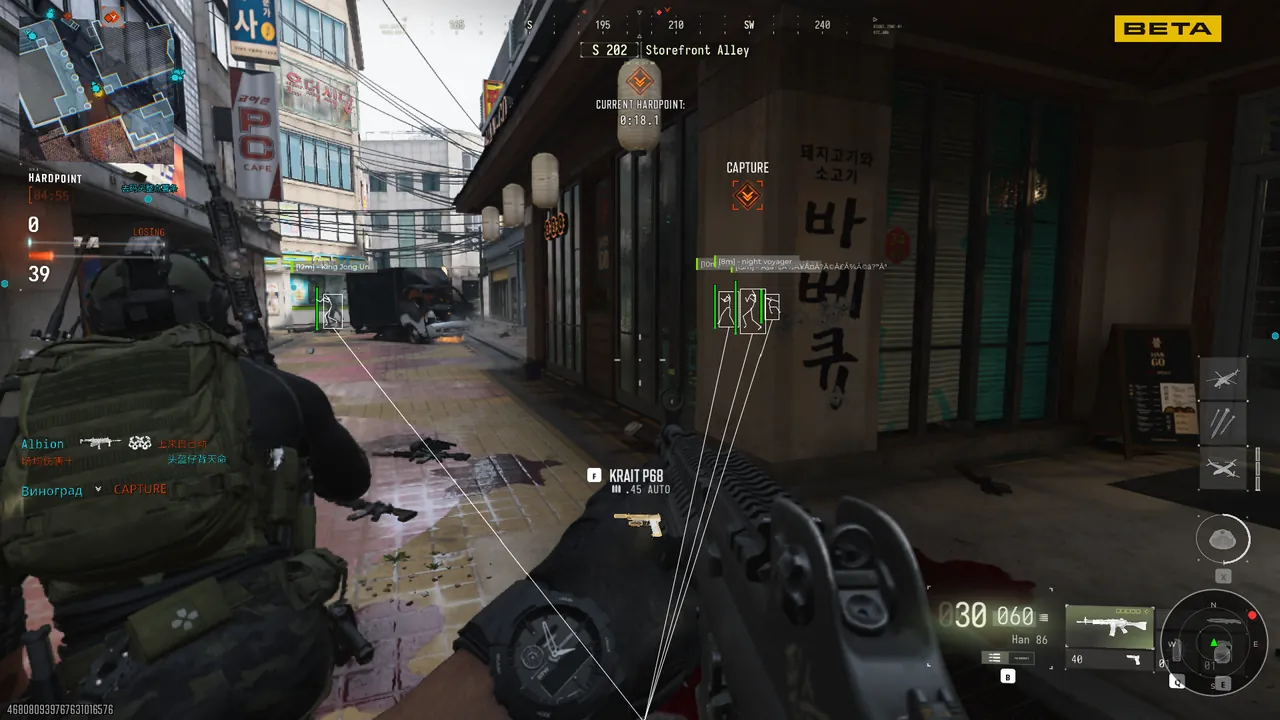
Choose 2D boxes, 3D boxes, or corner brackets - each reads differently depending on map lighting and range - plus skeleton lines that show exact pose through cover, which tells you whether that operator behind the pallet is leaning, crouched, or already moving to swing.
Tags and colors
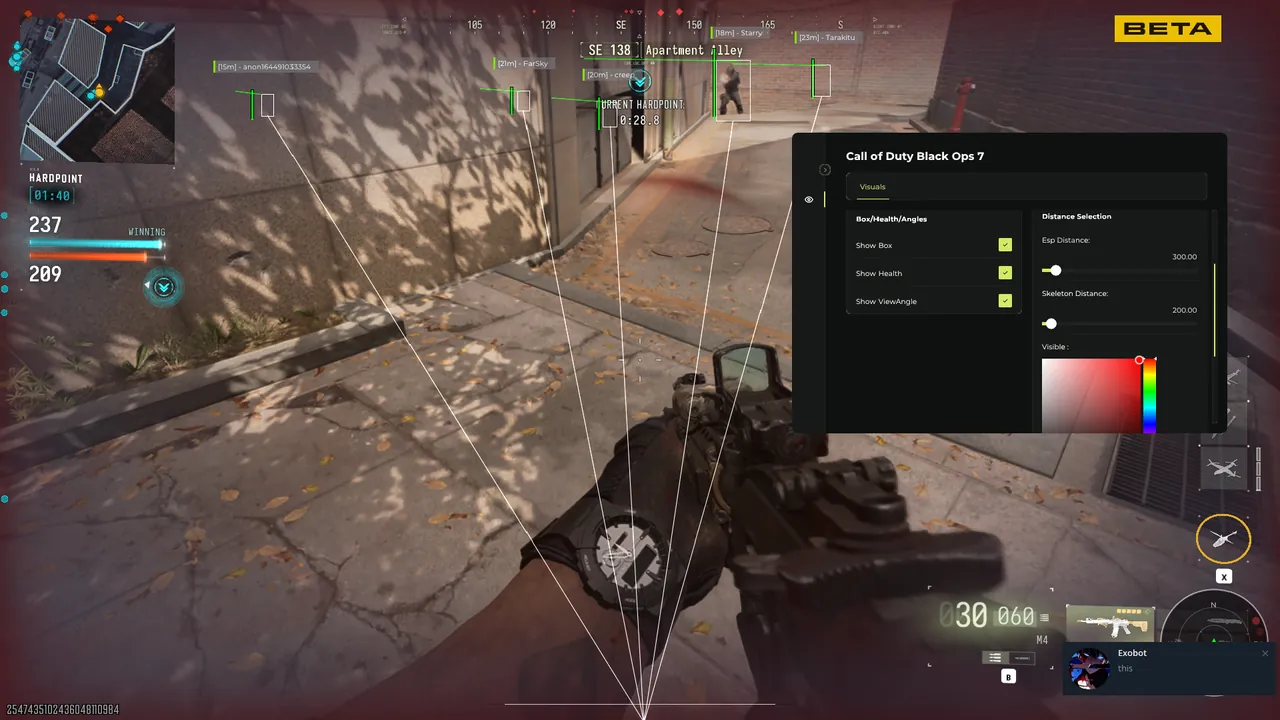
Every marker can carry name, distance in meters, primary weapon, and a health bar. Colors switch automatically by state: visible, occluded, and downed. Colorblind palettes are included, and tag font size scales with distance so long range markers stay legible without filling the screen at close range.
Filters that cut the noise
Downed players can be hidden, teammates toggled, distance limits drawn per map, and loot filtered by rarity so the hardpoint does not turn into confetti. In objective modes, filtering to a 40 meter ring around the point keeps the overlay readable exactly where it matters and silent everywhere else.
Visibility checks
Occlusion shading dims markers for operators behind two or more surfaces, which sounds cosmetic until you realize it is effectively a prioritization system: bright markers are the ones you can actually shoot at right now.
Config as a workflow
Filter sets save as profiles: one for ranked search, one for hardpoint, one for large objective modes. Profiles load from the menu in two clicks and survive pass renewals, so week two starts where week one left off.
The whole layer is streamproof and costs a handful of frames at default settings - draw distance is the single biggest lever on cost, and it is per map for exactly that reason. If the overlay ever feels loud, the fastest fix is always a filter, never a smaller field of view.